Payment tools that help you manage or rent property
Get paid, manage cash flow, and more with Autobooks. All directly through your trusted banking partner.






Get paid directly into your existing account
Autobooks is built to be part of your everyday banking experience.
Autobooks partners with banks and credit unions to offer invoicing, payment acceptance, accounting, and more, all inside online and mobile banking.

Get paid the way that works for your business.
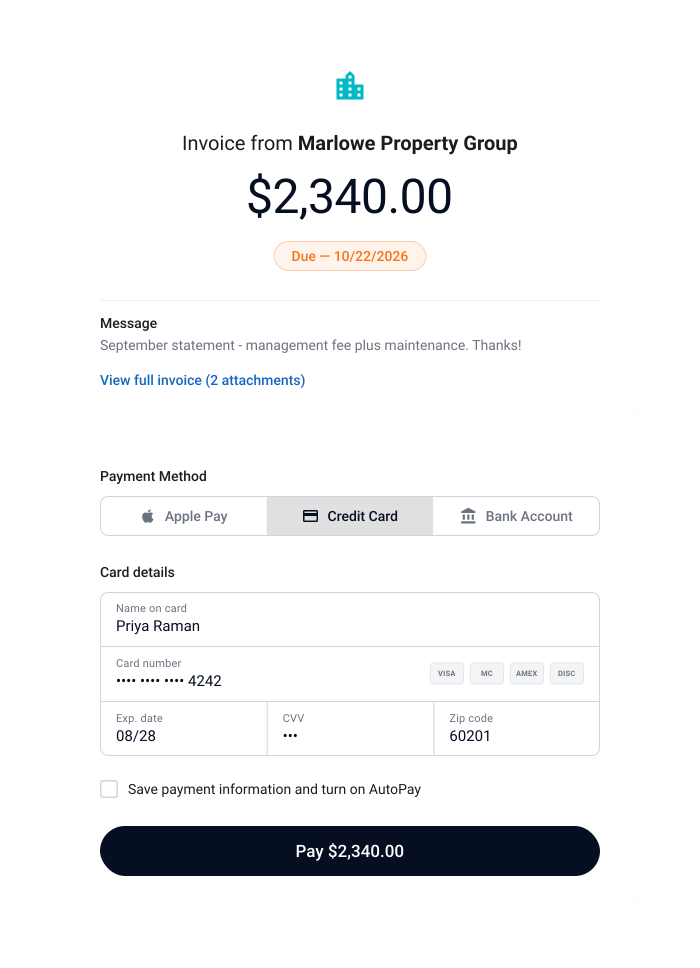
Send professional invoices, easily collect recurring monthly fees or dues, or accept card or ACH payments through a secure link. It's up to you and how you do business.

Stop worrying about tracking who has paid or who hasn't.
Quickly see who has paid or who has an outstanding balance without having to keep track on a spreadsheet.

Manage your business where you manage your banking.
Let your financial institution's digital banking become the hub for your small business finances, so you can track everything in one place.

Rely on a partner that understands your needs.
Finding support and guidance shouldn't be difficult. We work directly with your financial institution so you can turn to the people who know and understand your business.
Payment tools for property businesses
Collect a deposit, bill a portfolio, and everything in between.

Real Customer
"I have customers signed up for autopay using Autobooks and it's working great. I hope to get most of my customers to use it. I did not have an easy way to send an invoice or payment notice through QuickBooks, so I am very happy with your company. My only regret is I didn't know about it sooner. It's almost like having an employee doing all this work but not having payroll to meet. Great program, and I am telling other small business owners to check it out."
– Self-storage facility owner, Autobooks customer
Collecting deposits
Send a link, get paid before access starts.
Share your Payment Link by text or email. They pay from their mobile device or desktop, and you don't have to keep track of cash or checks.
Automate monthly dues or fees
Stop sending the same bill every month by hand.
Set up a recurring invoice and Autobooks sends it automatically on your schedule. Or share your Payment Link once, and let the resident or tenant set up the recurring charge on their end.
Get paid in person
Use Tap to Pay on iPhone or your Payment Link QR code.
At a showing, a walkthrough, or any time you're face to face, present your iPhone for Tap to Pay. Or let them scan your QR code. No separate terminal needed.
Bulk invoicing
Send invoices to your whole portfolio with Bulk Invoicing.
Bulk Invoicing lets you import your billing list, review every invoice before it goes out, and send dozens or hundreds at once. See what's past due, coming due, or paid, all in one place, without digging through a spreadsheet.
Tap to Pay on iPhone requires a supported payment app and the latest version of iOS. Update to the latest version by going to Settings > General > Software update. Tap Download and Install. Some contactless cards may not be accepted by your payment app. Transaction limits may apply. The contactless Symbol is a trademark owned by and used with permission of EMVCo, LLC. Tap to Pay on iPhone is not available in all markets. For Tap to Pay on iPhone countries and regions, see: developer.apple.com/tap-to-pay/regions.
Apple Pay is a service provided by Apple Payments Services LLC, a subsidiary of Apple Inc. Neither Apple Inc. nor Apple Payments Services LLC is a bank. Any card used in Apple Pay is offered by the card issuer.
Managing a small business is hard.
Make it easier with Autobooks.
Add on Autobooks accounting and reporting functionality so you can focus less on finances and more on growth.
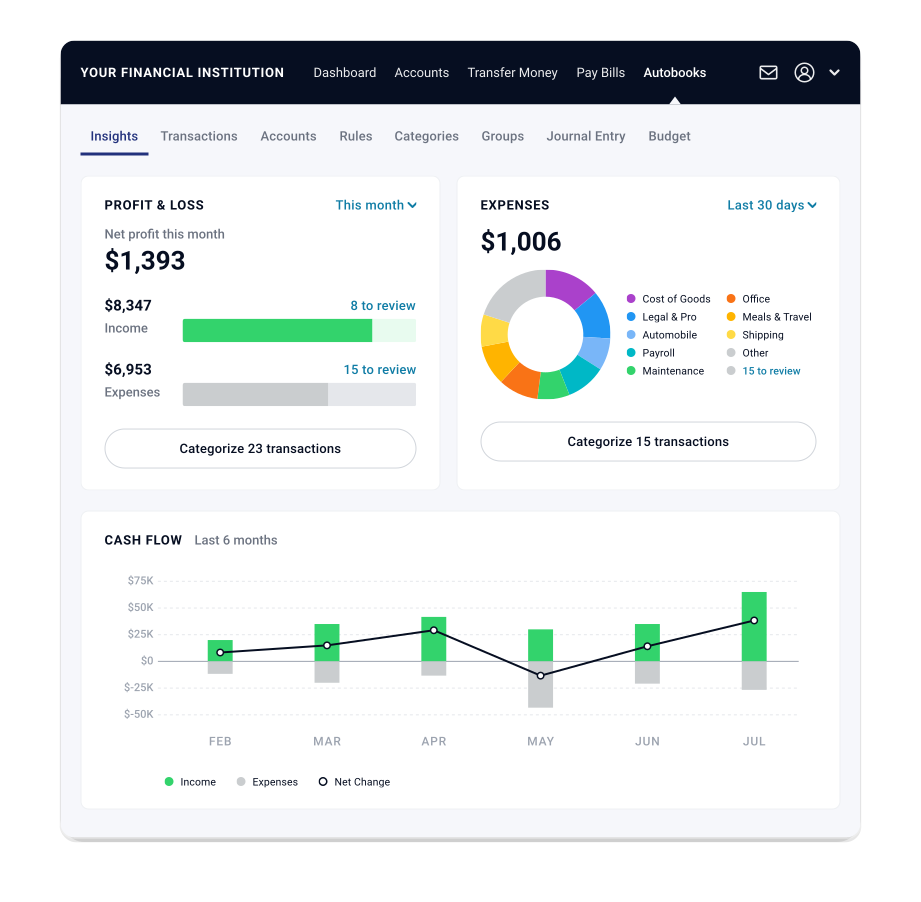
Keep track of your business directly inside of online and mobile banking, where you do everything else.
Stop having to rely on pen and paper, spreadsheets, or complicated third-party software built for accountants. Automate bookkeeping entries and access financial reports, directly inside online and mobile banking.
The ability to access Autobooks accounting and reporting can vary. Please check with your financial institution to confirm if you will have access.
Everything you can do with Autobooks
Invoicing
Send professional invoices and get paid fast.
Bulk Invoicing
Send many invoices at once in a few clicks.
Payment Links & QR Codes
Share a link or QR code to collect payment.
Checkout Pages
Give customers a simple page to pay online.
Tap to Pay
Accept card payments right on your phone.
Pay Bills
Pay vendors and schedule bills in one place.
Access Capital
Small business lending, built into your banking.
Accounting
Automated bookkeeping and financial reports.
Autobooks is offered through your bank or credit union — right inside the online banking you already use. No separate app, no new login.
Get started